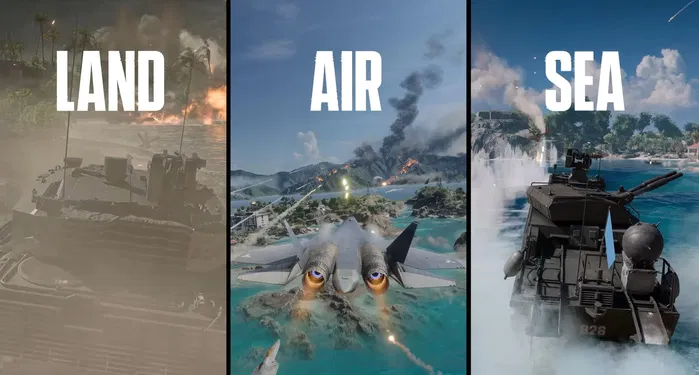
You finish a round, try to quit to the main menu, and get stuck on an endless loading screen. On Wake Island you hit an invisible barrier inside a bunker near Objective E. On PS5 your scopes look thicker than they should. Season 4: Tidal Strike brought naval warfare and new maps — now Battlefield Studios is cleaning up the friction. Battlefield 6 update 1.4.3.5 (PS5: 1.000.032) is the September 30 quality-of-life patch focused on menus, HUD, maps, AI, stability, and REDSEC.
Quick answer
Battlefield 6 Update 1.4.3.5 | 1.000.032 (September 30, 2026) is a smaller quality-of-life patch. It fixes End of Round endless loading, restores the downed-state minimap, removes invisible barriers on Wake Island, corrects PS5 scope edges, improves AI vehicle navigation on Tsuru Reef, stops the APHEI Cannon from damaging the carrier in Carrier Strike, and addresses several REDSEC issues. Rooster and Bob skins can now be used across NATO classes. No major new content or balance overhaul.
For what each of the four classes does on the objective, see our Battlefield 6 class guide.
Update 1.4.3.5 at a glance
This is a clean-up patch after Season 4: Tidal Strike, not a content drop. Here is what actually changed and what did not.
- What is Update 1.4.3.5 | 1.000.032?
- Quick overview table
- September 30 patch notes
- Player changes
- Weapons and PS5 optics
- Maps and modes
- UI and HUD
- AI improvements
- REDSEC changes
- Why this update matters
- Season 4 and the road to Season 5
- What it means for competitive players
- What to do after the update
- Frequently asked questions
- Key takeaways
What is Battlefield 6 Update 1.4.3.5 | 1.000.032?
Update 1.4.3.5 is a September 30 quality-of-life patch released to clean up issues that appeared after the larger Season 4: Tidal Strike rollout.
On PlayStation 5 the package appears as Battlefield 6 update 1.000.032. Across platforms the underlying game version is 1.4.3.5. EA describes it as a smaller maintenance update focused on menus, HUD functionality, social features, game modes, maps, AI behavior, and overall stability rather than a large content drop.
The official focus areas include:
- More reliable menus and HUD systems
- Cleaner and more consistent match experiences
- Stability and PS5-specific improvements
For players already on Season 4, this is the follow-up maintenance release that should make everyday multiplayer and REDSEC sessions feel more consistent.
Battlefield 6 Update 1.4.3.5 quick overview
| Detail | Information |
|---|---|
| Update | Battlefield 6 Update 1.4.3.5 |
| PS5 package | 1.000.032 |
| Release date | September 30, 2026 |
| Update type | Quality-of-life / bug fixes |
| Main focus | Menus, HUD, maps, AI, stability, REDSEC |
| PS5 | Scope edge thickness corrected on 10 optics |
| Wake Island | Invisible barriers near Objective E removed |
| Carrier Strike | APHEI Cannon no longer damages the carrier |
| Rooster & Bob skins | Usable across NATO classes |
| Major new content | No |
| Major balance changes | No |
Battlefield 6 September 30 patch notes
EA published the official update information on September 28. The patch targets specific problems rather than redesigning combat or progression systems.
Below is the complete high-level breakdown by category.
Player changes
Rooster and Bob skins across NATO classes
Battlefield Studios removed the class restrictions from the Lt. Bradley “Rooster” Bradshaw and Lt. Robert “Bob” Floyd character skins.
Both characters can now be used with any NATO class. Their associated skin icons no longer display class-specific gadgets. This is a straightforward customization quality-of-life improvement for players who want Top Gun–themed cosmetics without being locked to a single class.
End of Round loading screen fix
Quitting to the main menu at the End of Round could previously result in an endless loading screen. Update 1.4.3.5 resolves that issue.
Reliable match transitions matter for progression sessions. Being stuck between rounds interrupts flow whether you are grinding challenges, unlocking weapons, or simply playing multiple matches in a row.
Spectator mode crash fix
A crash that could occur in Spectator mode during large-scale experiences has been fixed. Spectator stability is useful for community events, reviewing matches, and watching large battles.
Weapons and PS5 optics
PS5 scope edge thickness corrected
Battlefield Studios corrected the thickness of scope edges for a number of optics on PlayStation 5 so they display at their intended thickness.
Affected optics include:
- SU-123
- CCO
- Ro-M
- 2PRO
- 3VZR
- R4T
- 1P86 Variable
- 1P88 Variable
- NFX
- SSDS
This is a visual fix, not a balance change. Scope edges that render at their intended thickness give you a cleaner, more predictable sight picture, which matters most in long-range engagements on PS5.
Maps and modes
Wake Island invisible barrier fix
Two invisible barriers inside a bunker near Objective E on Wake Island have been removed. Invisible collision is especially frustrating in a large-scale shooter where positioning, cover, and rotations matter. Movement through the affected bunker should now be more consistent.
Carrier Strike APHEI Cannon fix
The APHEI Cannon can no longer damage the carrier in Carrier Strike. This closes an unintended interaction in a naval-focused Season 4 mode and helps keep the mode’s intended gameplay intact.
UI and HUD improvements
Battlefield Coins purchase navigation
Backing out of a Battlefield Coins purchase could leave players unable to return to the purchase button correctly. That navigation issue is fixed.
Phantom Program XP Booster icons
Phantom Program XP Booster rewards now display the correct icons on the End of Round screen. Accurate reward presentation helps players confirm what they earned after a match.
Downed-state minimap restored
The minimap now displays while the player is downed. In large-scale Battlefield fights, spatial awareness remains valuable even when you cannot shoot. Knowing where teammates, objectives, and the wider battle are can inform revive decisions and the next engagement.
AI improvements
Tsuru Reef AI vehicle navigation
AI-controlled vehicles can now navigate shallow water more reliably on Tsuru Reef instead of becoming submerged. Tsuru Reef is part of the Season 4 environment; better AI vehicle behavior supports modes and experiences where AI vehicles are present and helps keep match flow intact.
REDSEC changes
Floating zipline removed
A floating zipline has been removed from the elevator shaft in the Tech Campus POI so the area appears and functions more naturally.
Proximity Chat platform icons
Platform icons now display correctly in the Proximity Chat “Recent Interactions” menu in Battle Royale. Clear platform context is useful in cross-platform environments as proximity chat remains part of REDSEC’s social features.
Why this Battlefield 6 update matters
Update 1.4.3.5 is smaller than a seasonal launch, but quality-of-life patches have a real impact on how a live-service FPS feels.
A competitive multiplayer experience depends on many interconnected systems: weapons displaying correctly, minimaps showing accurate information, collision behaving as expected, vehicles navigating properly, match transitions completing without infinite loads, and spectator mode remaining stable. When those systems work together, players can focus on the actual game instead of fighting technical problems.
That is the purpose of this patch — reduce friction across menus, HUD, maps, AI, optics, and REDSEC without changing the core combat meta.
Season 4 and the road toward Season 5
The September 30 update sits during Season 4 after the Tidal Strike content rollout, which introduced naval-focused content, Tsuru Reef, and additional features for Battlefield 6 and REDSEC.
EA’s community roadmap has pointed toward further Season 4 phases and Season 5 plans that include Platoons, a Server Browser, Multiplayer Leaderboards, and three new maps in the winter period. Version 1.4.3.5 is maintenance between those larger milestones: fix current issues while development continues on future content.
What Update 1.4.3.5 means for competitive players
Competitive and progression-focused players care about consistency: stable performance, reliable HUD information, accurate optics, predictable map collision, consistent vehicle behavior, clean match transitions, clear reward presentation, and stable spectator functionality.
This patch touches several of those areas. It does not redefine preferred weapons or the overall combat meta. Its value is a cleaner environment in which to play, improve, and progress.
If you're still working through the Season 4 collection event, our Battlefield 6 Deep Six event guide covers all ten challenges and how to unlock the Royal Navy Dive Knife.
What players should do after the update
After installing Battlefield 6 update 1.4.3.5, take a few practical steps before jumping into long sessions.
- Confirm the version — Make sure the game has fully updated so you avoid version mismatches.
- Test main optics (especially on PS5) — Verify scope presentation feels correct for the optics you use most.
- Revisit Wake Island — Check the bunker near Objective E; the invisible barriers that previously blocked movement have been removed.
- Check End of Round flow — Confirm you can quit to the main menu without an endless loading screen.
- Review reward icons — If you use Phantom Program XP Boosters, the corrected End of Round icons should make rewards easier to read.
- Test settings — Graphics, controls, sensitivity, and HUD can feel different after a patch; verify nothing unexpected changed.
Battlefield 6 Update 1.4.3.5 FAQ
What is the latest Battlefield 6 update?
Version 1.4.3.5, released September 30, 2026. On PS5 it appears as update 1.000.032. EA describes it as a quality-of-life update focused on targeted fixes and stability.
What does Battlefield 6 update 1.000.032 fix?
Menus and HUD behavior, End of Round loading, Spectator mode stability, PS5 optic presentation, Wake Island collision, Carrier Strike APHEI interaction, AI vehicles on Tsuru Reef, and several REDSEC map and UI issues.
Is Battlefield 6 update 1.4.3.5 available on all platforms?
Yes. Official notes state the update is available across all platforms.
Did Battlefield 6 fix the endless loading screen?
Yes. Quitting to the main menu at the End of Round should no longer result in an endless loading screen.
Did Battlefield 6 restore the downed minimap?
Yes. The minimap now displays while the player is downed.
Did Battlefield 6 change the Rooster and Bob skins?
Yes. Those skins can now be used across NATO classes; associated icons no longer show class-specific gadgets.
Did Battlefield 6 fix PS5 scopes?
The update corrects intended scope-edge thickness for several optics on PS5, including SU-123, CCO, Ro-M, 2PRO, 3VZR, R4T, 1P86 Variable, 1P88 Variable, NFX, and SSDS.
Did Battlefield 6 fix Wake Island?
Yes. Two invisible barriers near Objective E inside a bunker were removed.
Does Update 1.4.3.5 add a new map?
No. This is a quality-of-life and bug-fix patch, not a major content release.
Should I update before playing?
Yes. Installing the current version ensures you benefit from the stability, HUD, map, optic, and REDSEC fixes included in the patch.
Battlefield 6 Update 1.4.3.5: key takeaways
The September 30 patch is a focused maintenance release after Season 4: Tidal Strike.
- Rooster and Bob skins are usable across NATO classes.
- End of Round endless loading and Spectator crash issues are fixed.
- PS5 scope edges are corrected for multiple optics.
- Invisible barriers on Wake Island near Objective E are removed.
- APHEI Cannon can no longer damage the carrier in Carrier Strike.
- Downed-state minimap is restored; XP Booster icons and Coins navigation are corrected.
- AI vehicles navigate shallow water on Tsuru Reef more reliably.
- REDSEC receives floating zipline and Proximity Chat icon fixes.
No major new content or ranked overhaul is included. The practical steps are simple: install the update, verify optics and map movement where relevant, then focus on the same fundamentals that decide large-scale fights — positioning, objective priority, team play, and map knowledge.
Final answer: what does Battlefield 6 Update 1.4.3.5 fix?
Battlefield 6 Update 1.4.3.5 | 1.000.032 is the September 30 quality-of-life patch that fixes End of Round loading, Spectator crashes, PS5 optic presentation, Wake Island invisible barriers, Carrier Strike APHEI behavior, downed minimap, AI vehicle navigation on Tsuru Reef, and several REDSEC issues. Rooster and Bob skins are unrestricted across NATO classes. It follows Season 4: Tidal Strike and focuses on stability and bug fixes rather than major new content. Battlefield Studios continues refining the live game through regular patches while development continues toward future seasonal content.
This article is an independent informational publication. Battlefield 6 and related trademarks belong to Electronic Arts and their respective owners. Before using any boosting service, review EA’s current Battlefield 6 rules on its official support channels. Service availability, policies and pricing may change, so always check the current service page before ordering.